카메라 파라미터 구성#
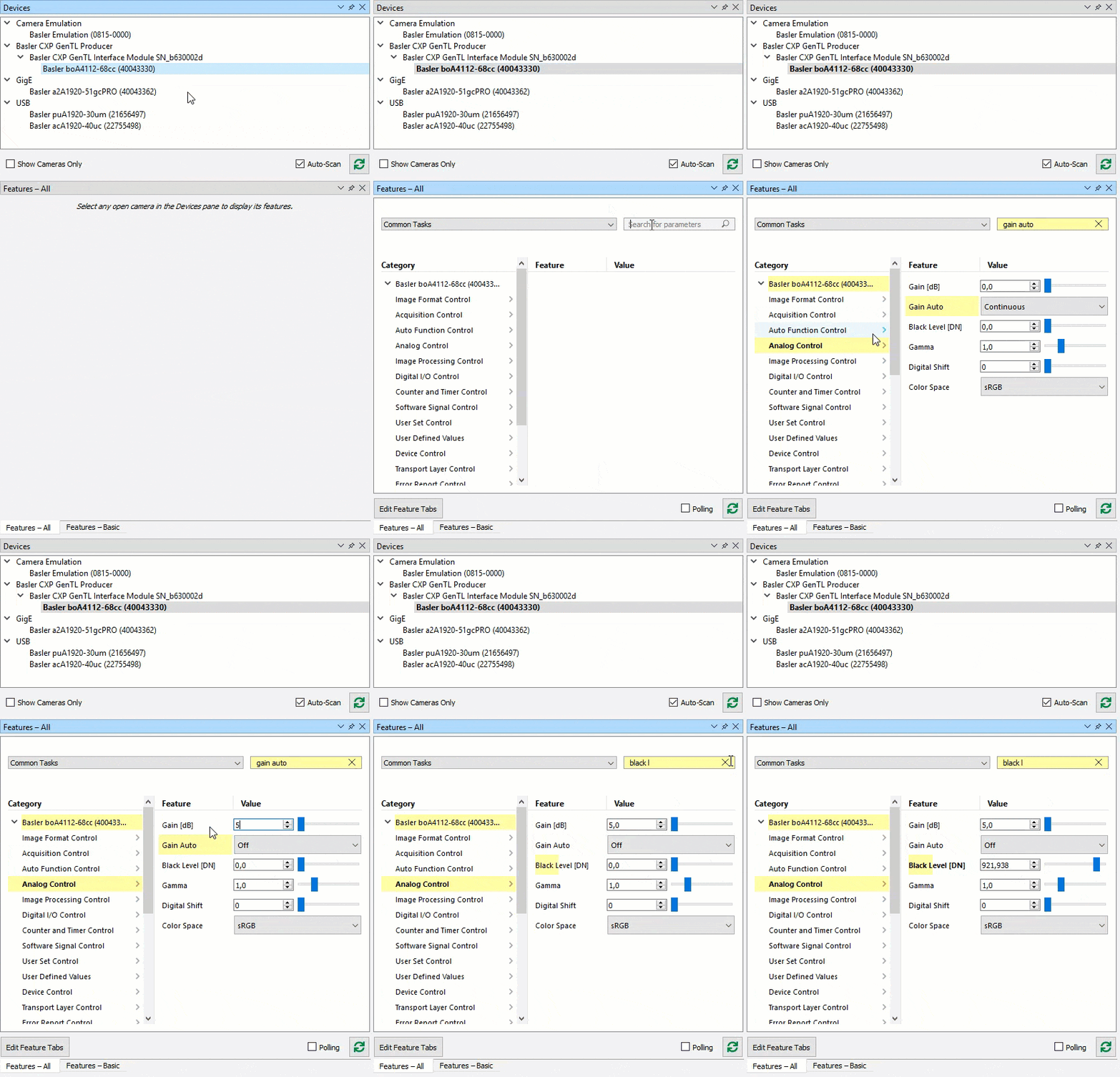
The following animation demonstrates how to configure camera parameters with the pylon Viewer.
As an example, the Gain Auto auto function is set to Off 그리고 다음을 설정하십시오: Gain 및 Black Level parameter values are increased.
To quickly access the parameters, the Search feature is used.